Change workbook appearance
Define styles
As you work in Excel, you’ll likely develop preferred formats for data labels, titles, and other elements. Instead of applying formatting attributes individually, you can use a cell style to apply them all at once. Excel offers a variety of built-in styles in the Cell Style gallery. To preview how a style will look, simply hover over it for a live preview.
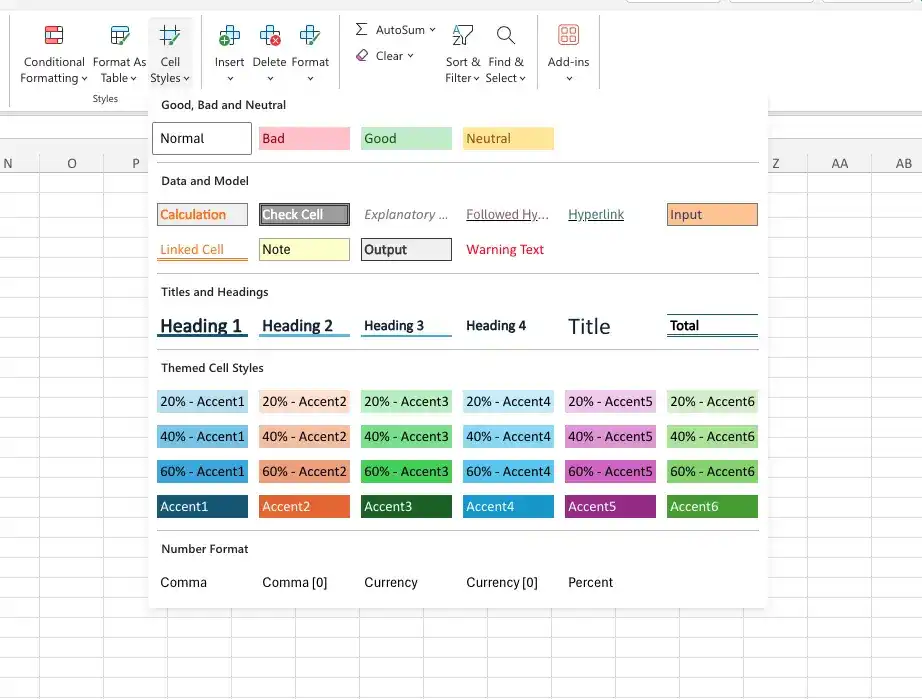
Apply a cell style to worksheet cells
- Select the cells to witch you want to apply the style.
- on Home tab, in the Styles group, click the Cell Styles button.
- In the Cell Styles gallery, click the style you want to apply.
Feedback
Was this page helpful?