Collaborate with others
Share workbooks
Sharing your Excel workbook allows you to collaborate with others. Here are the steps to share a file in Excel:
Using OneDrive
- Save your workbook to OneDrive.
- Click the Share button in the top-right corner of Excel.
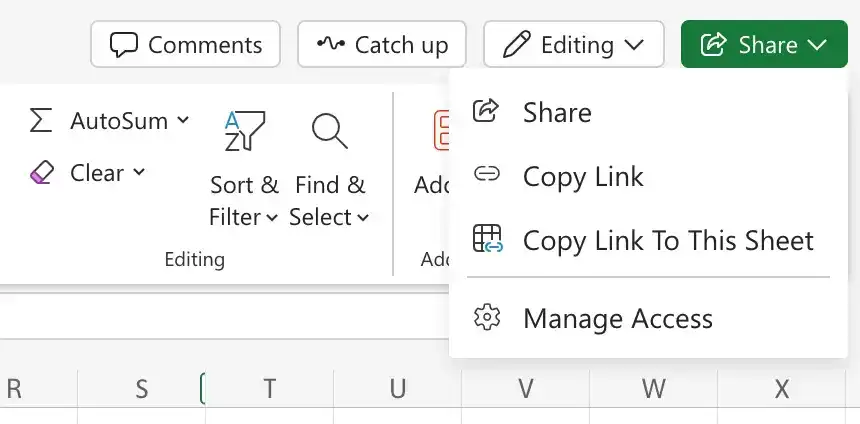
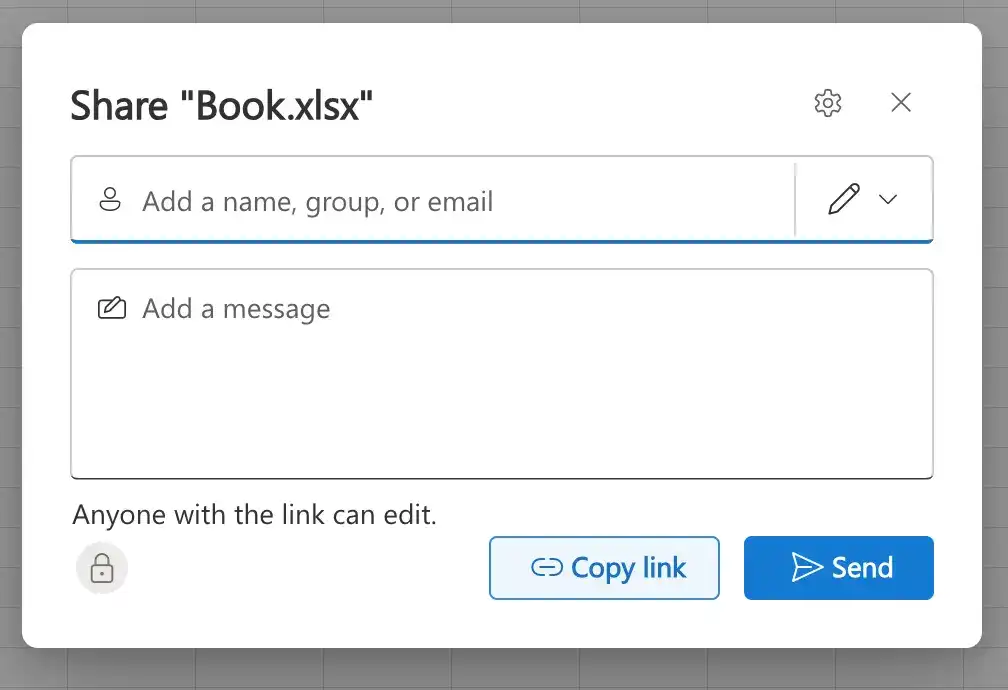
- Enter the email addresses of the people you want to share with.
- Set the permissions (view or edit) and click Send.
Manage access
- Click the Share button in the top-right corner of Excel.
- Click the Manage access.
- Click the dropdown next to the person's name to change their permissions or remove them.
Feedback
Was this page helpful?